Nuvion uses Bearer auth to authenticate requests. To authenticate your requests, specify your secret key as the authorization header in your requests. Requests with invalid or incorrect API keys would return a 401 unauthorized error.
curl --location --globoff 'https://api.nuvion.dev/issuers?country=NG' \
--header 'Authorization: Bearer {{$NUVION_API_KEY}}' \
--header 'Content-Type: application/json'

Creating new API keys

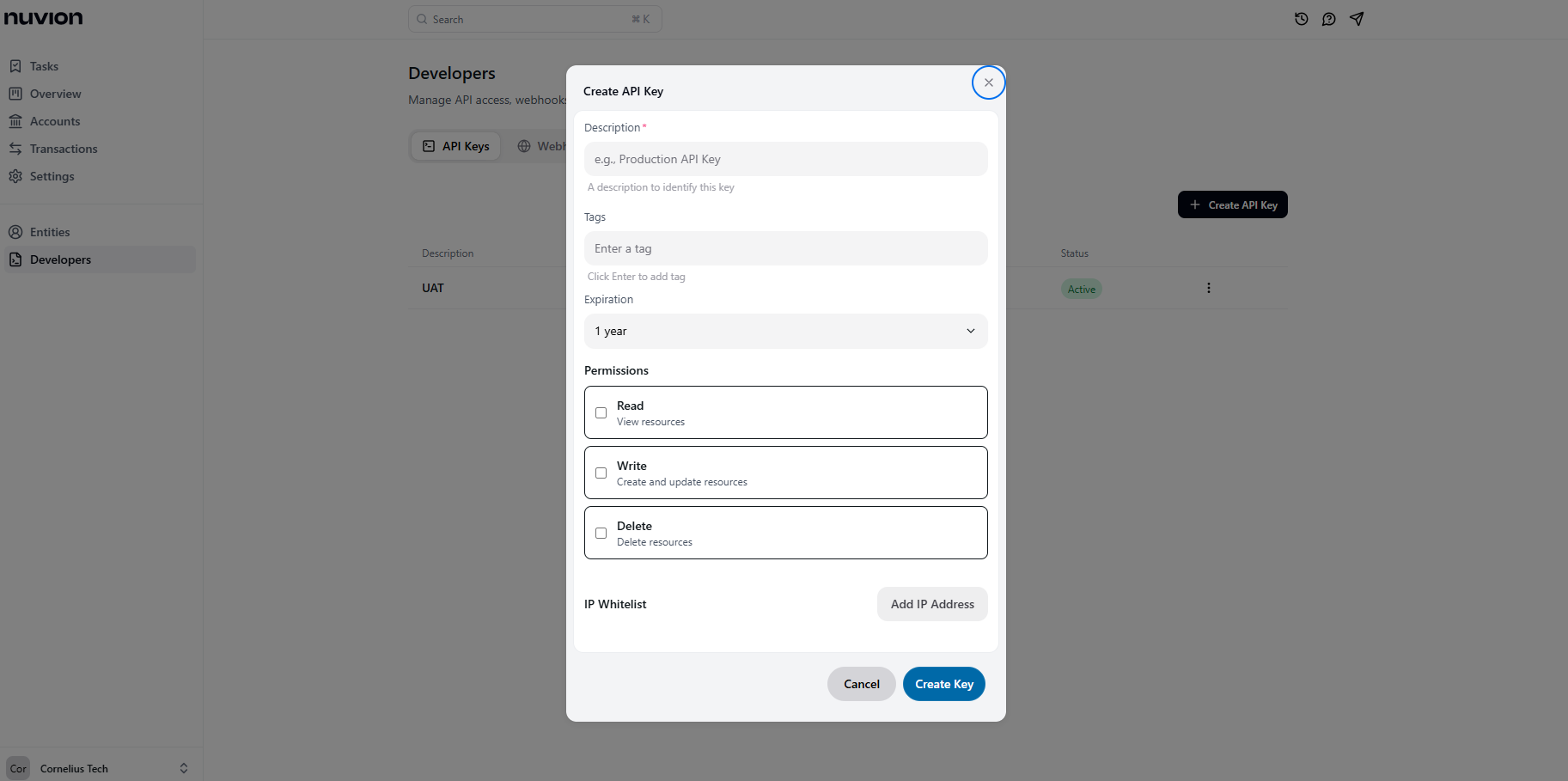
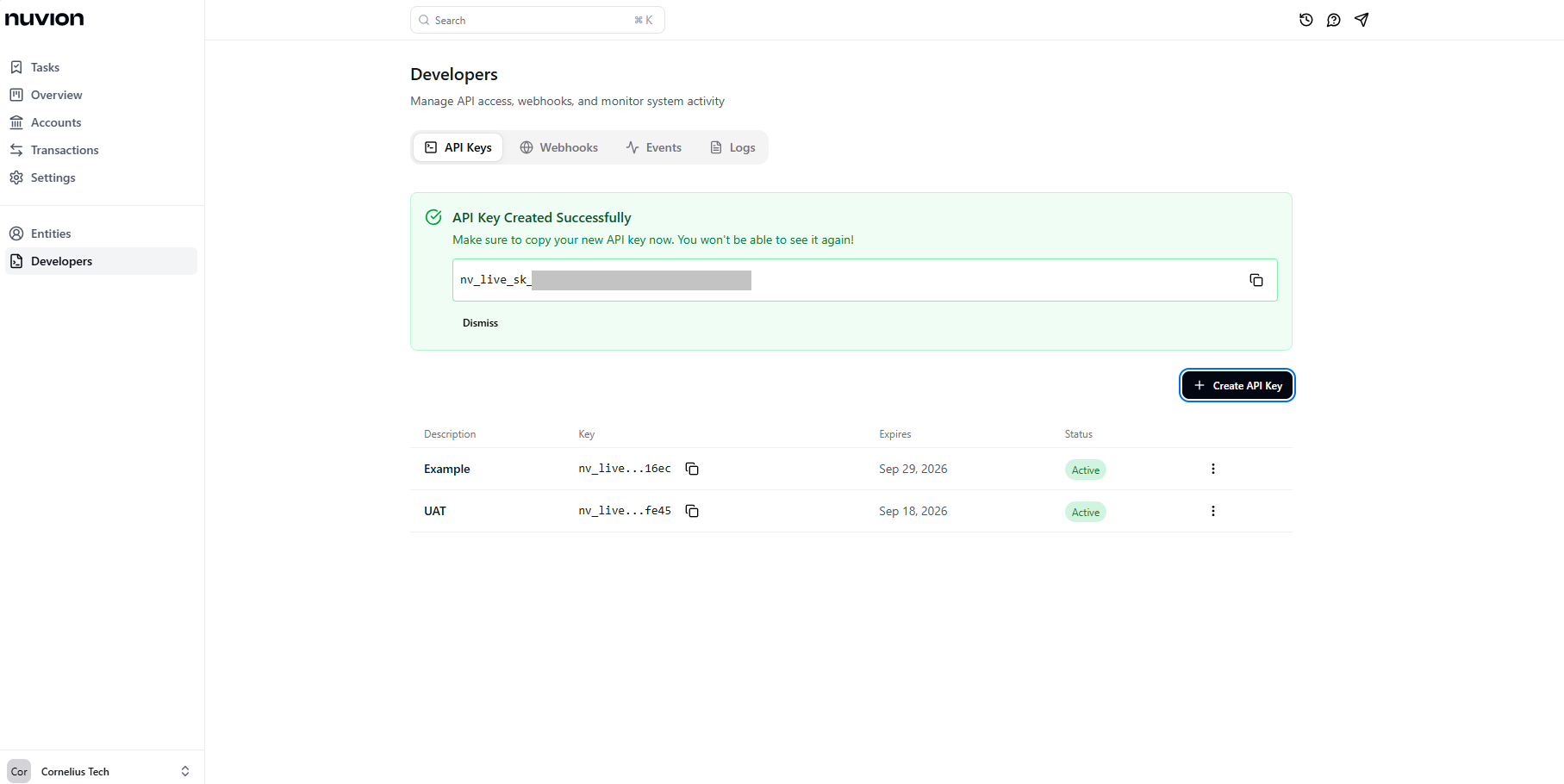
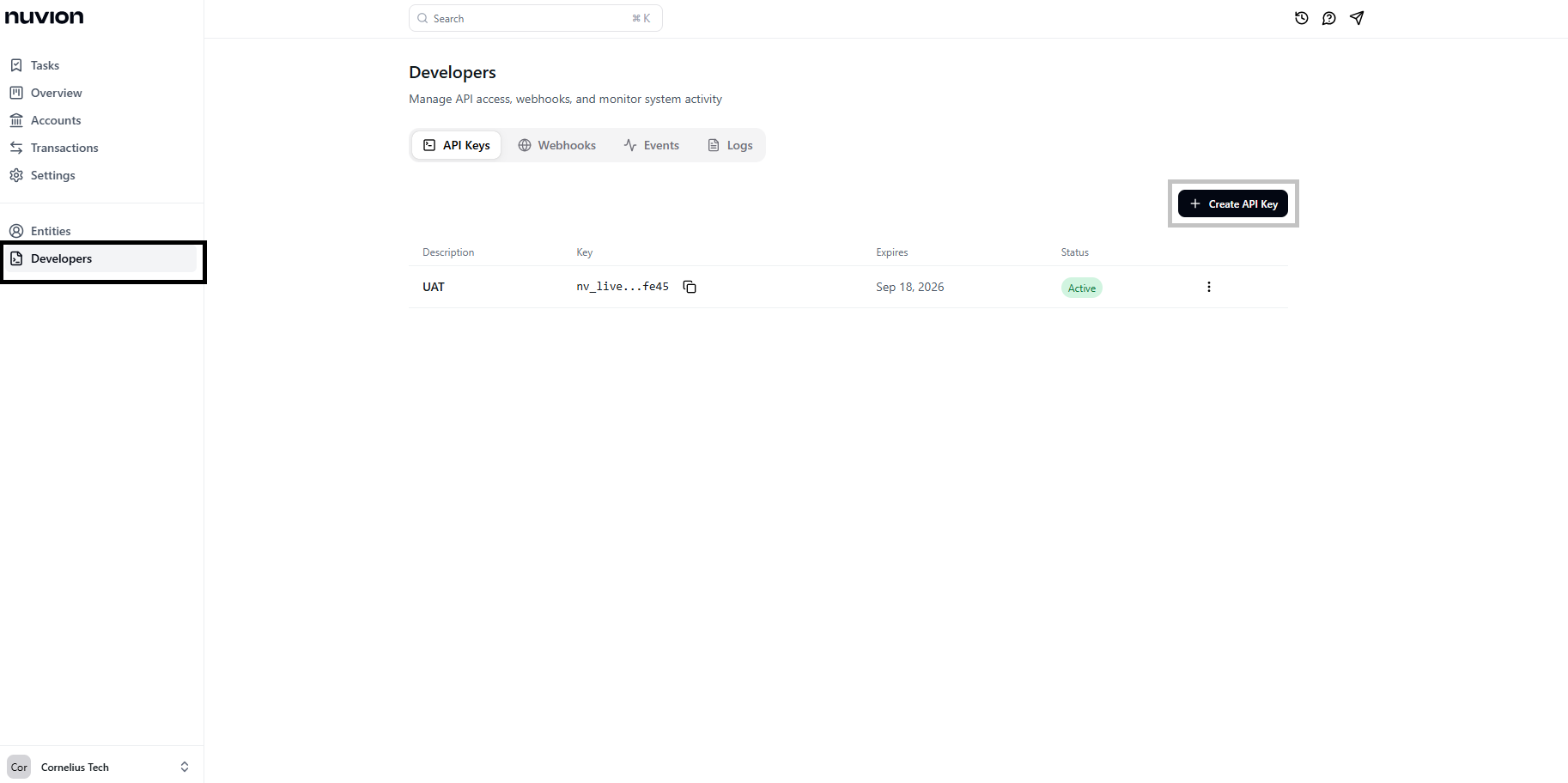
You can generate API keys for a new application on your dashboard. Follow these steps to create your API keys:
1
Log into your account and navigate to the Developers option.Alt text describing the image
2
Click the + Create API key button and provide details for your new key.Alt text describing the image
3
Store your newly generated key securely. It will only be visible during creation.Alt text describing the image